
Cinema Theatre App
Zip Zinemas is a fictional brand I invented for the first project in Google’s UX Design certificate course. This was the first assignment of three where we had to create a mobile app.
Project Overview
The assignment was to make an app for a cinema theatre company that wanted to offer its clients information about the movie’s screening, the option to see trailers, and a complete experience. So from the beginning services like following the next premieres, getting updated information about new films, or booking or buying tickets through the app, were included and developed.
The Problem
The app needed to be useful for customers with little time to go to the movies. So, they needed updated information about movies showing and the next coming films, and also a quick way to book or buy tickets from the app.
Other customers needed to be aware of the coming premieres to be able to follow them and have the opportunity to buy tickets for the very first screening of their favourite movies.
The Solution
For both types of clients, the following section was added, so users could add to it any film showing or coming soon to the theatre. That way they would be able to have the relevant information about those films for either buying a ticket or booking a seat on the premiere day.
A complete cart, checking, and confirmation process was designed both for buying and booking.
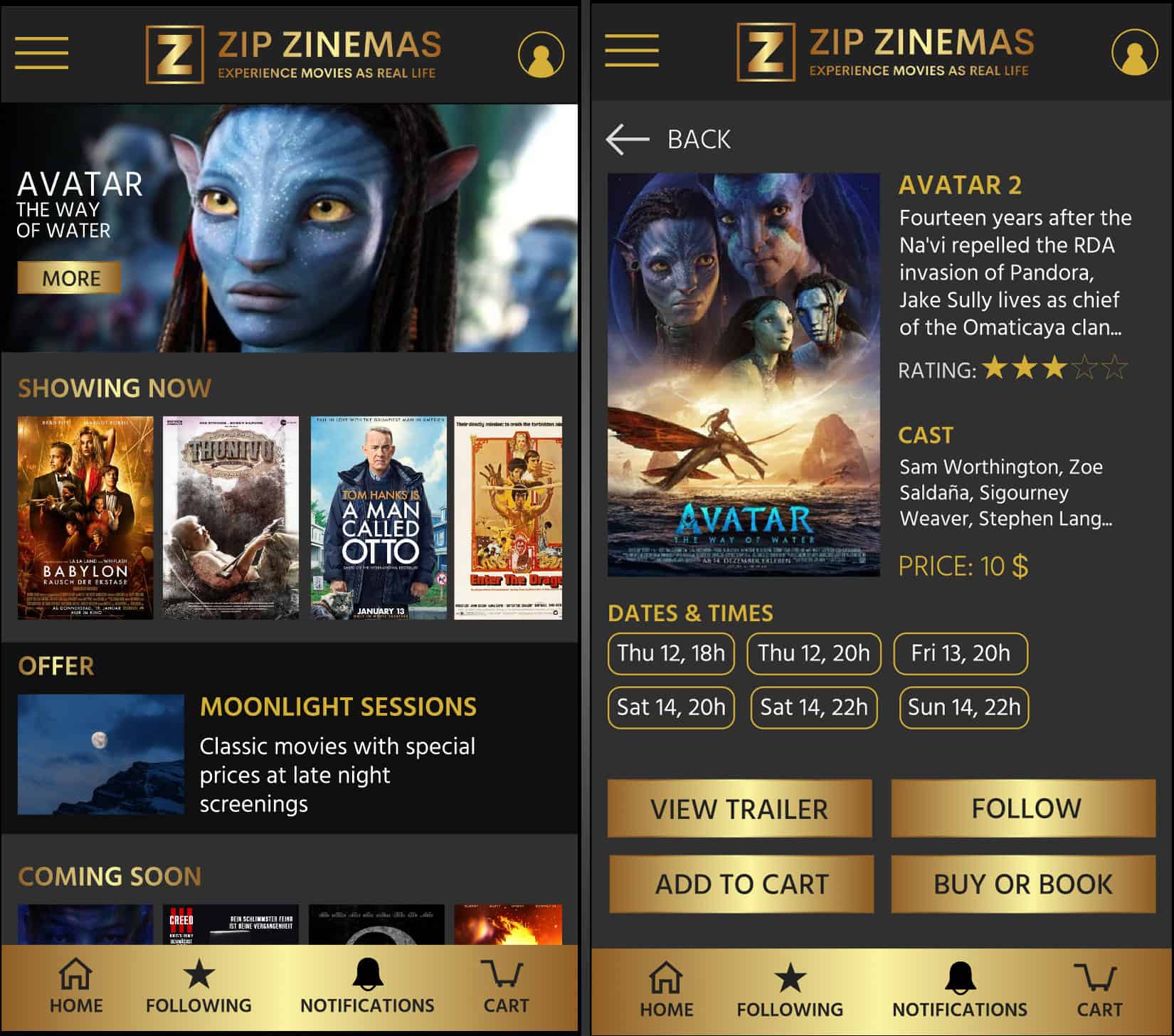
Primary Research
A competitive audit gave me some key pain points that several competitors had in common. The first big problem found in those webs and apps was the poor or outdated information on the movies listed. Another problem that some of those competitors had was the lack of services and poor experience.
That’s why I decided to focus my approach on the process a user should follow to look for one or several films, include them in his following films page, and the process to book or buy a ticket. In the checking out process, I included two options, so the user could choose between paying directly in the app or paying at the theatre when picking up the tickets.
The Process
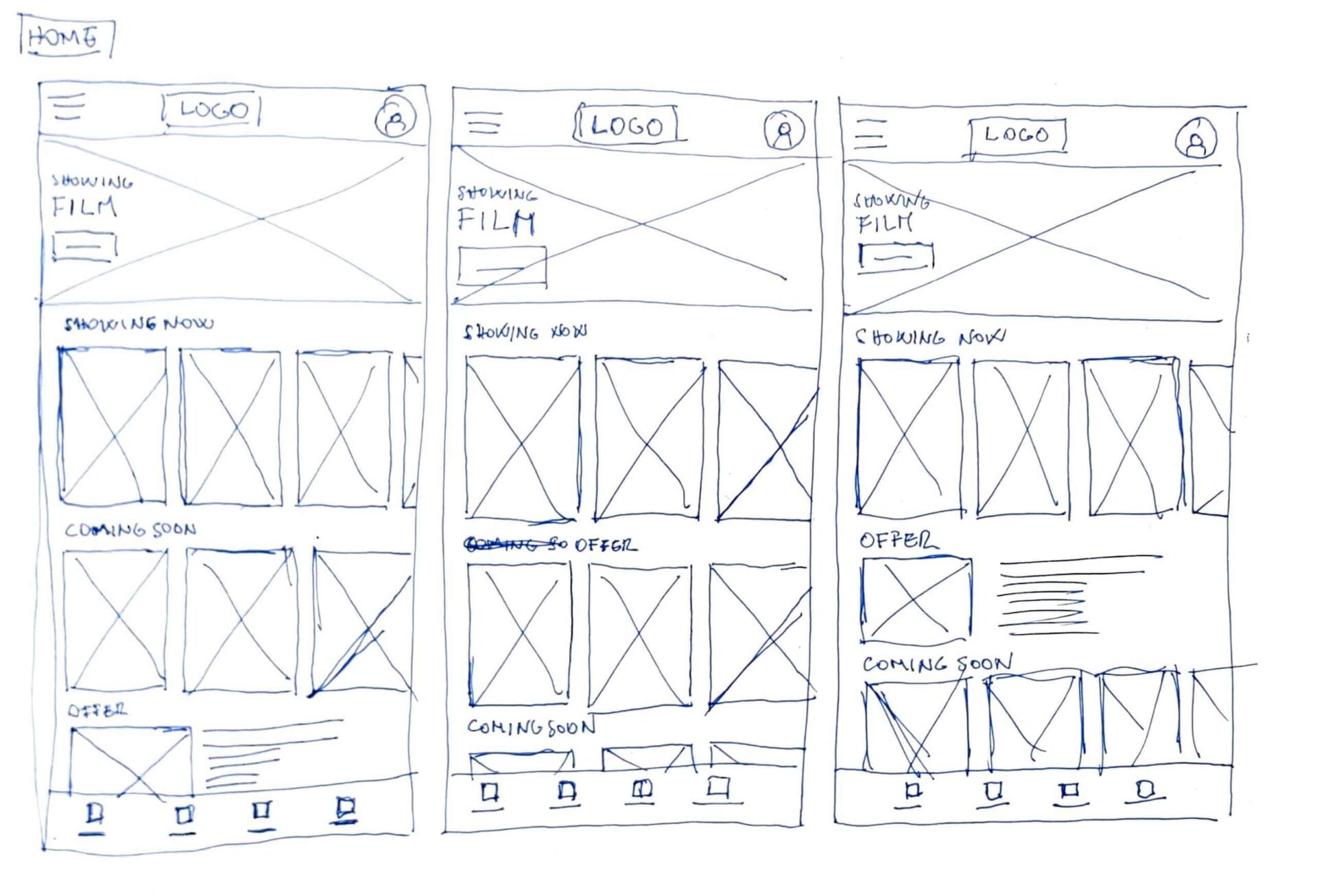
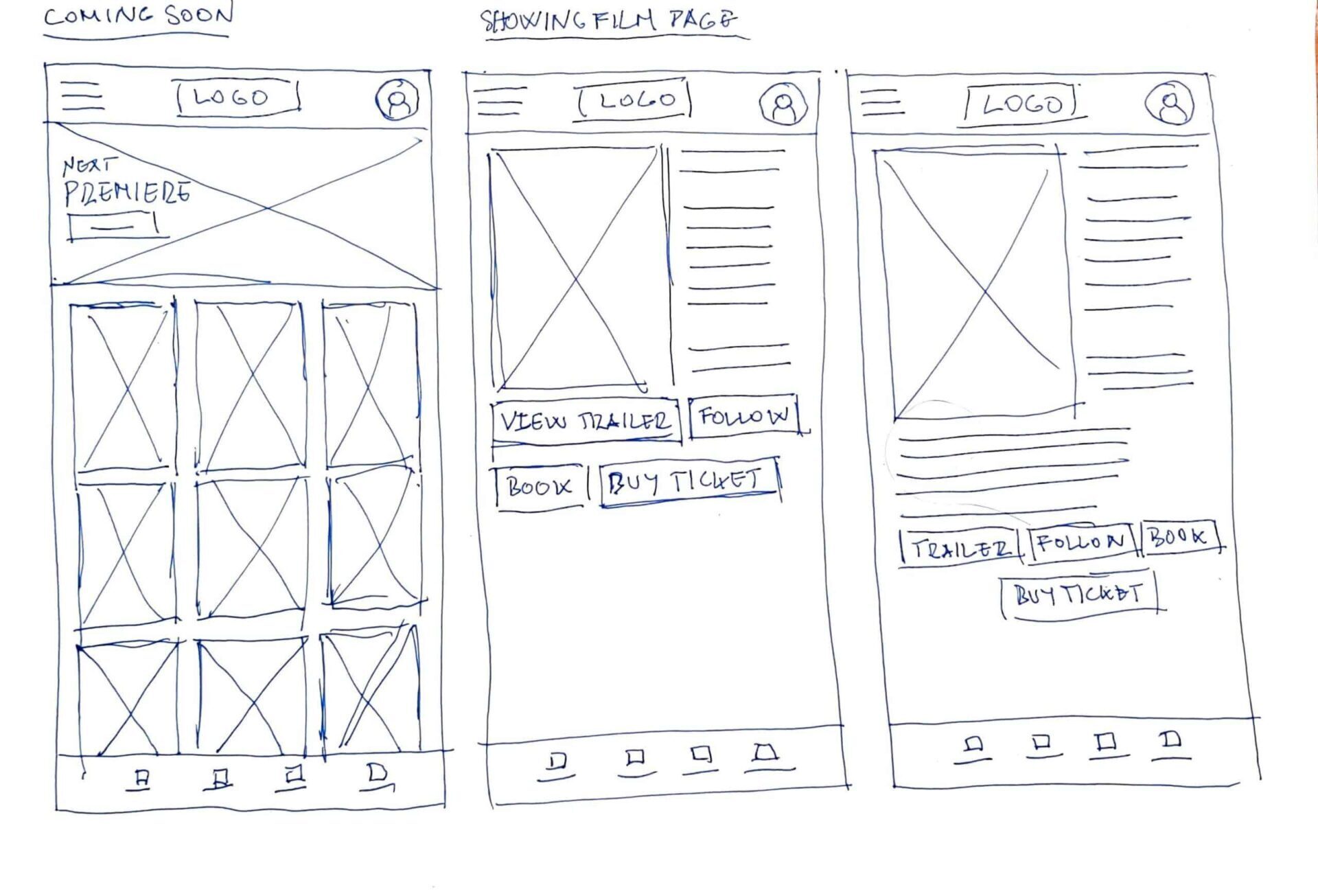
Paper Wireframes
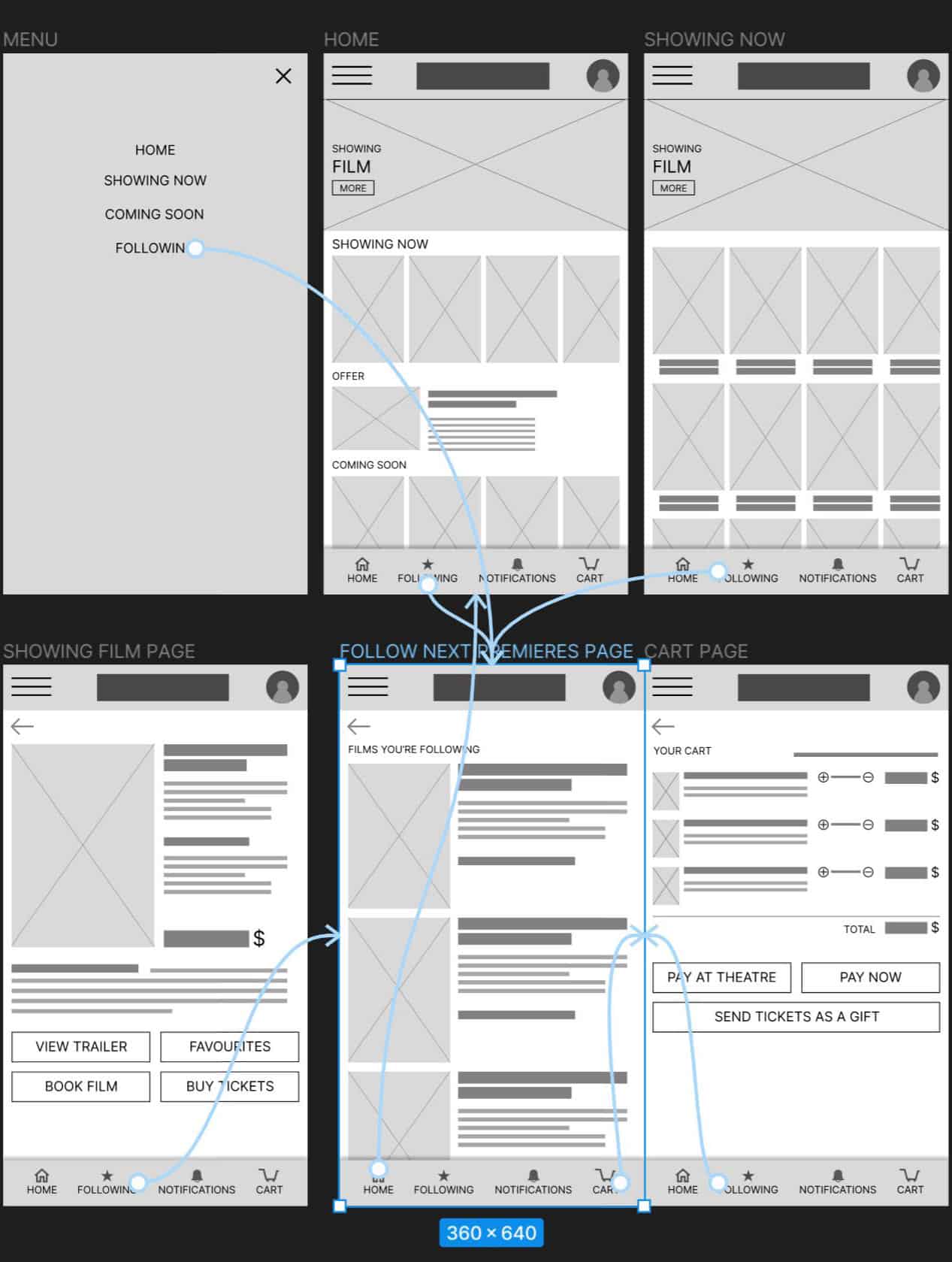
Digital Wireframes
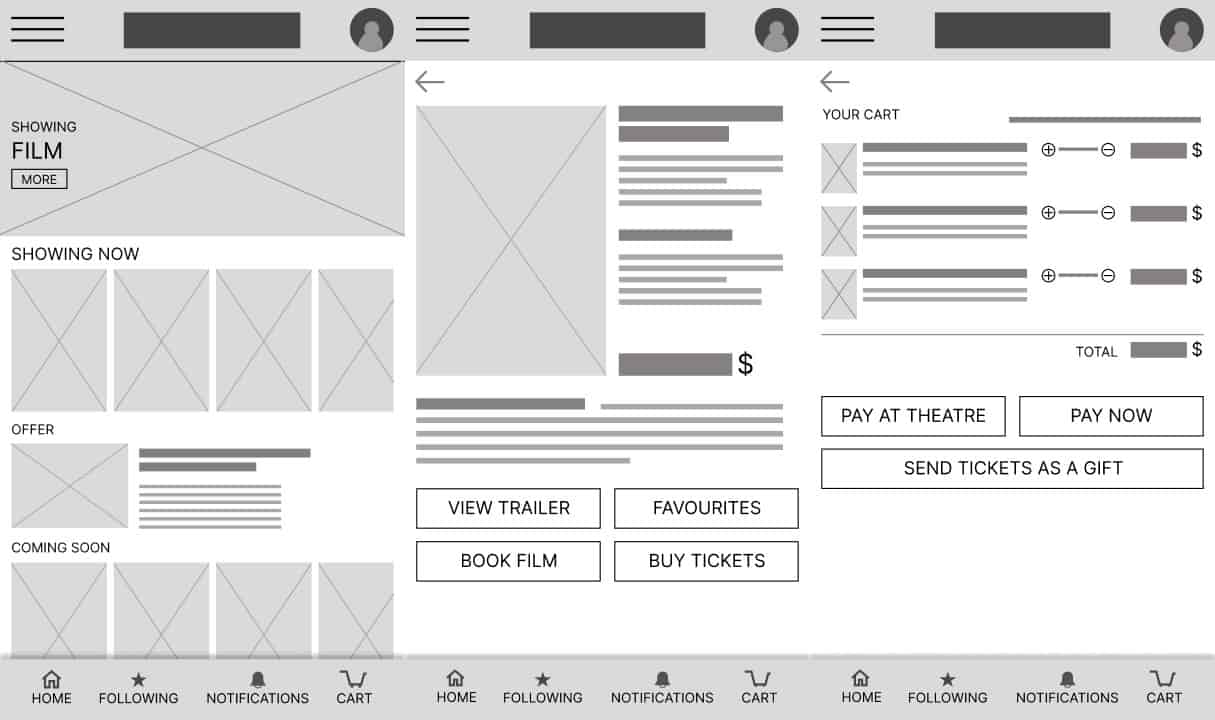
Low-Fi Screen Flow
Usability study
Key Questions
Task 1: Choose a movie on the ‘Showing Now’ page.
Task 2: Confirm your order and complete the checkout process, booking or buying tickets.
Task 3: From the home page, go to the ‘Coming Soon’ page, select the movies you like, and hit the follow button.
Task 4: Go to the follow page where all the films you’re following are listed.
Insights
Most users wanted to follow several films on the coming soon page at once.
Some users wanted to stay on the current film page after clicking the follow button.
Users want to buy tickets as a gift.
All users find it disappointing not to be able to make hero images clickable to go to the film details page.
Mockups
After iterating to make changes to include the insights of the usability study, we arrive at the mockup phase.
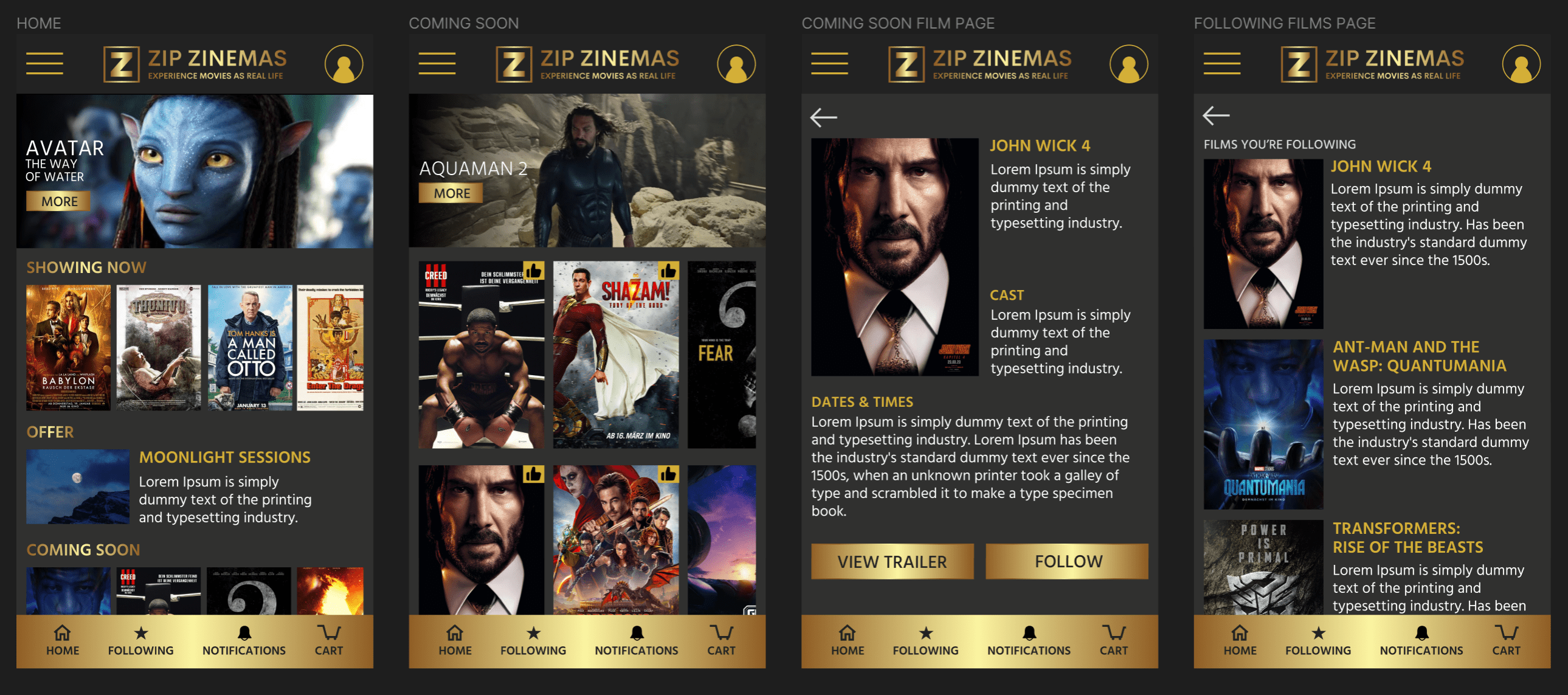
In the second image, we can see the little thumbs icons that allow users to select multiple films to follow.
Hi-Fi Screen Flow
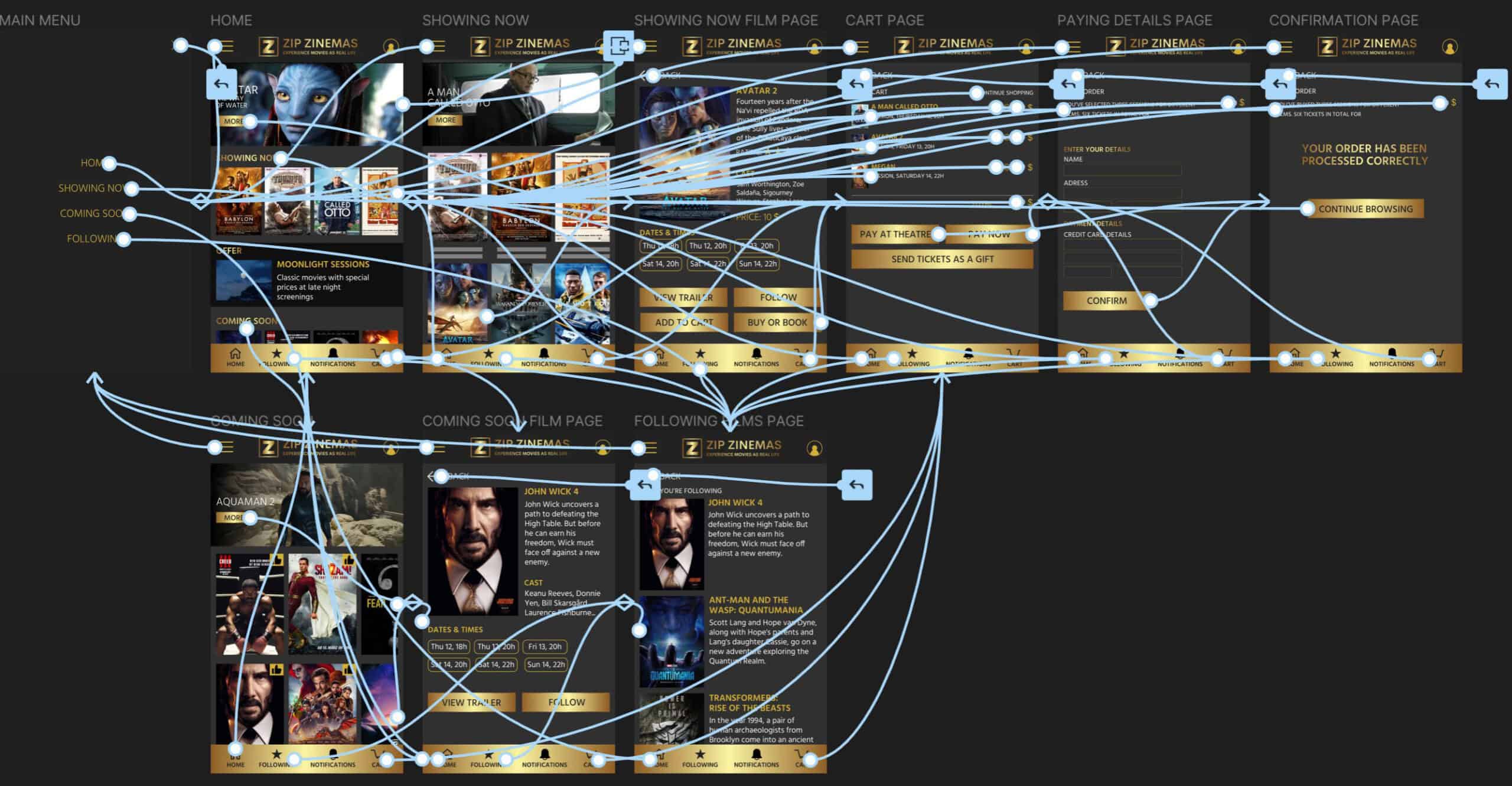
Hi-Fi Prototype
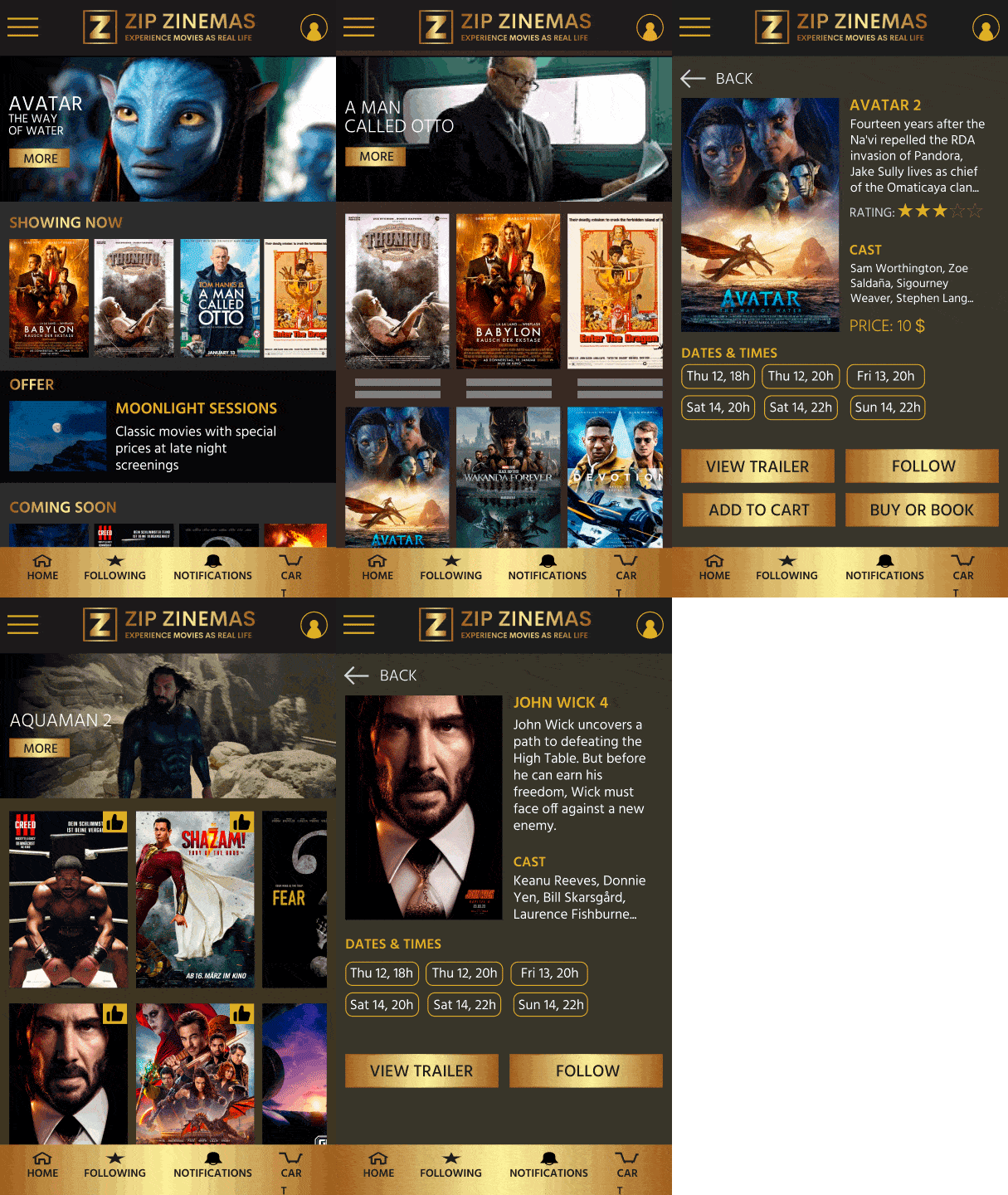
In this animation you can see the flow to choose and follow films, so the users can have updated information on the coming films of their interest.